Feature Update
Release: April 2017
In our journey to delivering a dynamic online reporting solution, we’ve designed four new reporting features, which are now available to you:
Dashboards
Get a visual representation of your financial and sales information. An example is seeing how much of your costs every Rand of sales covers, and how much of it is profit.
Management packs
Consolidate your reports into one workbook. These can also be downloaded in Excel format and will still be linked to your Sage One data.
Excel report storage
Keep your Excel reports safe and secure in the cloud. Remember these are still linked to your Sage One data.
Custom folder creation
Navigate to your reports easier and reduce clutter.
Feature Update
Release: March 2016
Exporting Reports
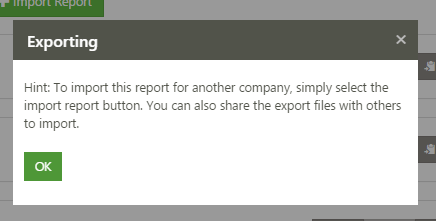
As well as creating reports, you are now able to export / import reports. This makes it possible to import reports into different user accounts i.e. create a report, download it then share the downloaded file with another user.
The other user will be able to import the downloaded file.
Current / Prior Period Parameters
This fun new feature allows columns to always reference a current period rather than select an individual period in a column property.
The same methodology can apply for a prior period.
Hide Rows / Columns
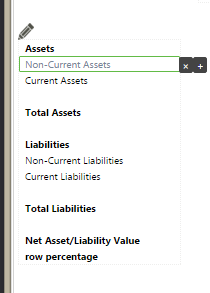
When creating a calculation column or row, the calculator will only allow you to insert rows or columns that exist in the report. However, in certain instances you may not want to see these rows / columns. To resolve this issue, you can now hide rows or columns you would not like to be visible in the report.
Once a row or column has been hidden it is greyed out on the preview screen.
Feature Update
Release: February 2016
Sage One Intelligence Reporting Cloud is now available within Sage One so you can take advantage of cloud technology for reporting. To access Intelligence Reporting, select Reports in the Sage One menu and then click Intelligence Reporting. You will need to logon using the same details as you do with Sage One. Once successfully signed in, you’ll see a web page that is intuitive to navigate and easy to understand.
The page will show you the following features
My Reports:
Clicking on this icon will take you to a folder which contains all your ready-to-use and customised report layouts.
Create Financial Reports:
This feature allows you to create a custom report from scratch using functions and formulas that make the design process easy, all without leaving Sage One!
Show Me How:
If you ever get stuck, click on this icon. It will open up a library of step-by-step videos to help you make the most of the software.
Call Faith on 08091565280 for Sage One & Business Intelligence Demo
Visit Sage One Website